

Kugoo S1 S2 S3 LCD Display with LED
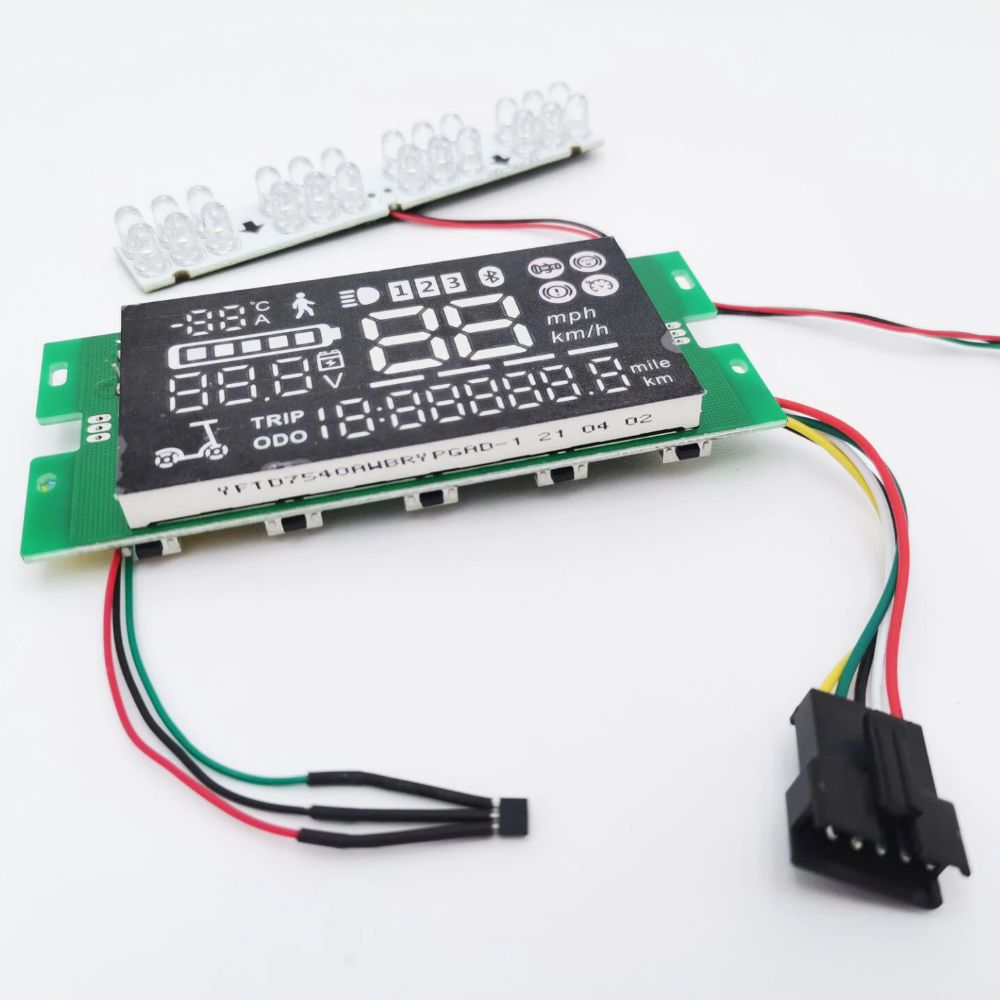
€47,80 inc. VAT
Only 3 left in stock
- Fast Delivery
- Free returns within 14 days
- Money back guarantee

Kugoo S1 S2 S3 LCD Display with LED
Updated LCD display panel with integrated LED light for Kugoo S1, S2 and S3.
Description
The updated dashboard shows riding information and includes an LED light. The main controller and connecting wiring are not included. Identifying the correct model, attachment method and technical version can help prevent fitting mistakes.
Kugoo S1 S2 S3 LCD display – features
The Kugoo S1 S2 S3 LCD display may be useful when a compatible scooter requires servicing or a specific accessory. The display can show speed and battery information when correctly connected to the compatible electronics. When a fault occurs, inspect associated parts before assuming that a particular component needs replacing. An electrical, mechanical or fitting issue may have more than one cause. Where the original specifications are incomplete, we avoid claiming unverified dimensions or compatibility. Take time to compare the product’s features against the scooter currently in use.
Kugoo S1 S2 S3 LCD display – installation
When working with the Kugoo S1 S2 S3 LCD display, follow the manufacturer’s instructions and take suitable safety precautions. Check the connector and control board compatibility; test display readouts and lighting after installation. If the repair affects braking, steering, drive electronics or another safety-critical part, professional assistance is recommended. After fitting, inspect the relevant components and check that controls, moving parts and electrical connections operate normally. Do not ride a scooter while its condition is uncertain or a repair remains incomplete.
Kugoo S1 S2 S3 LCD display – care
The Kugoo S1 S2 S3 LCD display should be checked as part of regular scooter maintenance where applicable. Keep related components in good condition and check for damage after abnormal vibration, impact or exposure to moisture. Avoid forcing parts into place when their dimensions or connections are incorrect. If the replacement does not match the original part, resolve the compatibility question before use.
Additional information
| Category | Displays |
|---|---|
| Suitable for: | Kugoo S1, Kugoo S2, Kugoo S3 |
Reviews (0)
Be the first to review “Kugoo S1 S2 S3 LCD Display with LED”
You must be logged in to post a review.
Related products


Worldwide delivery
14 days hassle free returns
Quality guarantee


Reviews
There are no reviews yet.